
Renovations, kitchens and bathrooms
Custom software, web and 3D for renovation companies.
From a single feature —PDF quotes, tracking each project, connecting Holded to your projects— to the complete management system, a website with a quote tool or renders of your projects. We build it to measure, and we have built it for a renovation company that works with it. Tell us what you want to solve and we will prepare a proposal.
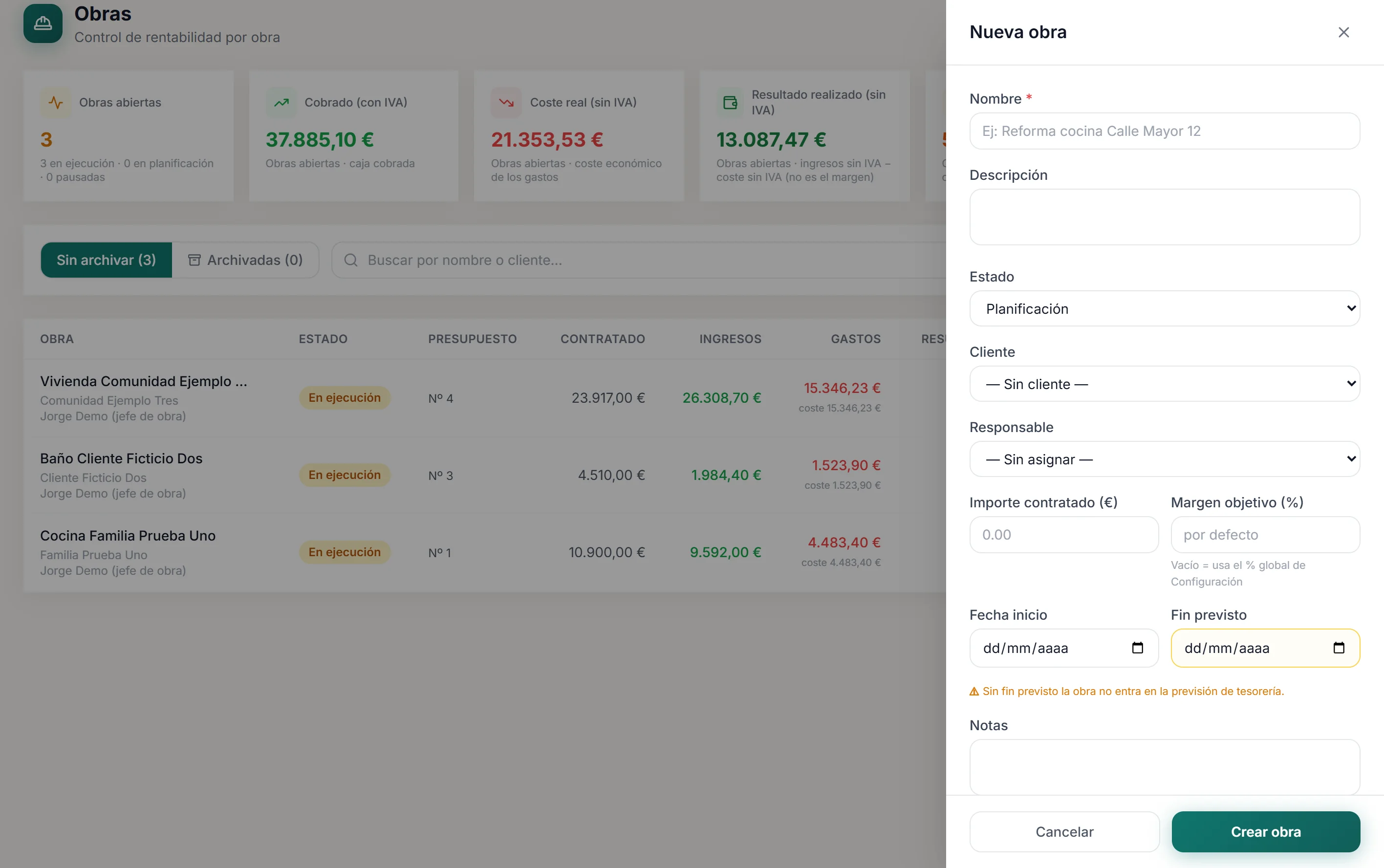
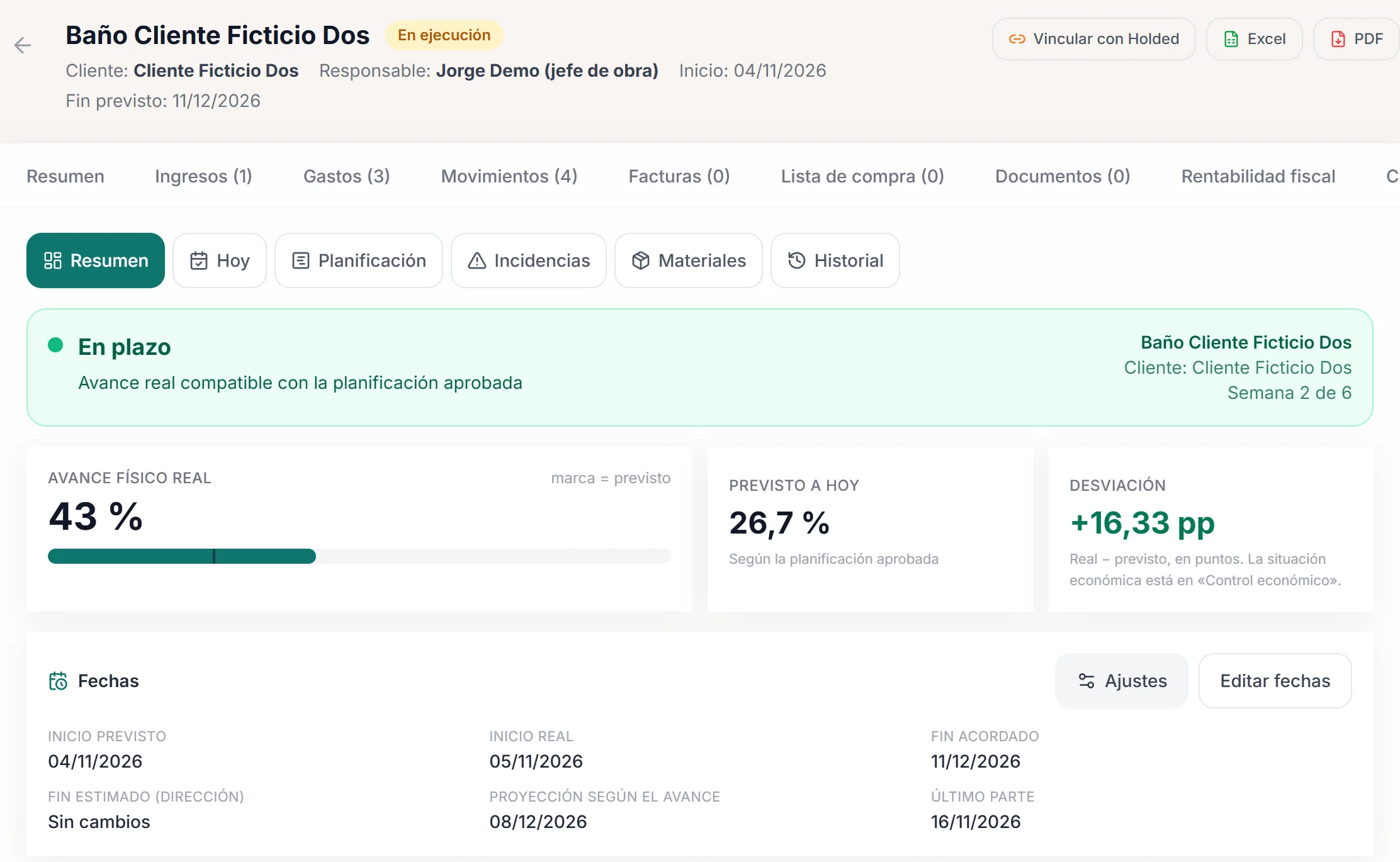
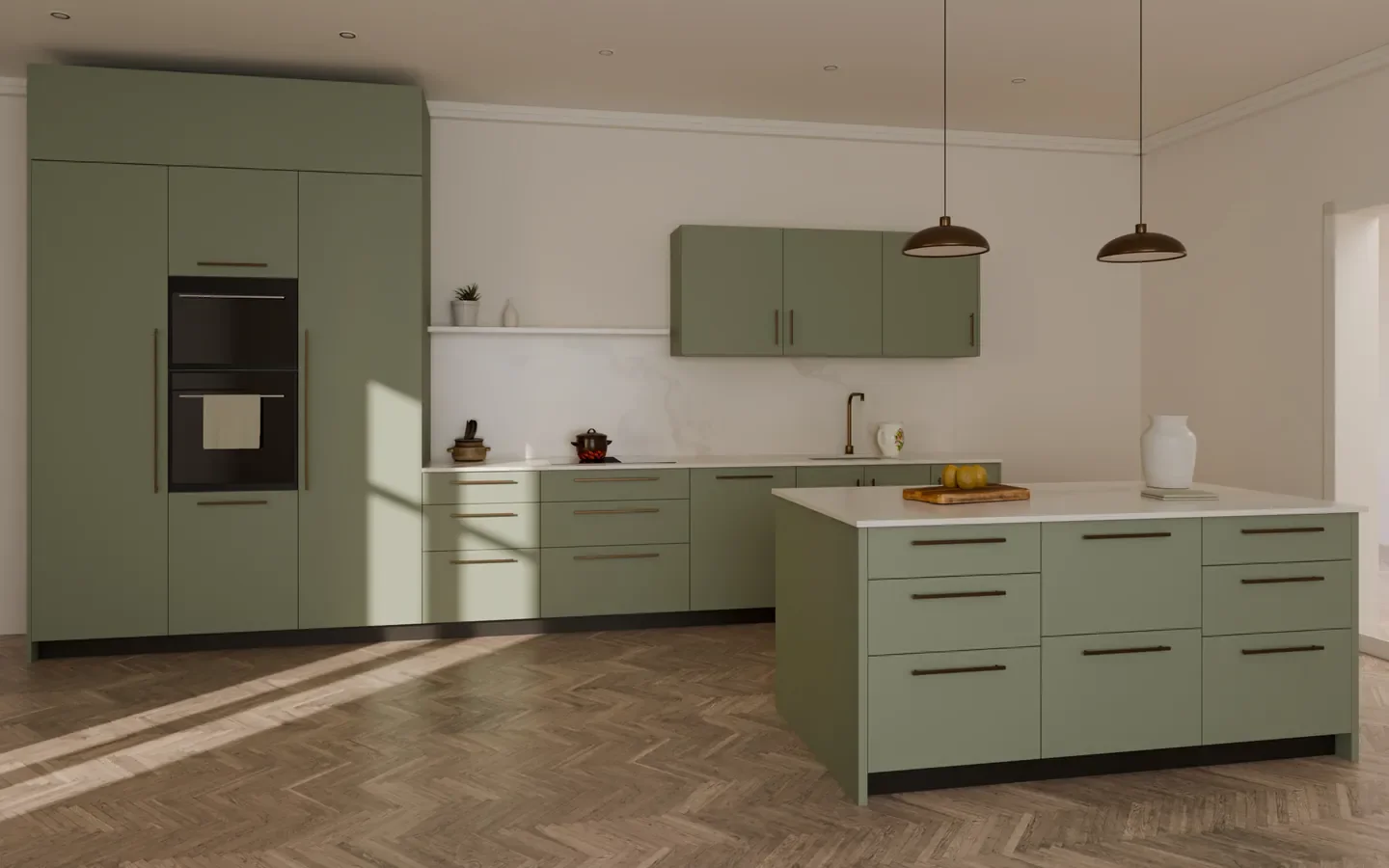
Panel screens in Spanish with demo data. Render by Kavela, a Bolmia client.
What we can do
From the first call to the last render.
Seven areas you can take on together or separately. The first four already run in a renovation company; the rest are designed with each client.
CRM and site visits
so no enquiry gets lost- A website form that records where each contact comes from.
- An enquiries inbox with statuses, priority and duplicate warnings.
- Opportunities and customers on a board, with their history.
- A visits calendar with confirmation and an email reminder to the customer.
- Visits in the calendar on your phone.
Quotes and PDF
clear versions and a document with your branding- Chapters and line items with quantities, units, prices and notes.
- Discounts, VAT shown or hidden, and your terms.
- Every change is a new version; the previous one is kept.
- A PDF with your branding, emailed from the system itself.
- Statuses through to accepted or rejected.
Planning and site control
knowing how each project is going without asking- The project is created from the accepted quote.
- A plan by activities linked to the line items, with their dependencies.
- A “Today” view on the phone: the day’s progress, site report, issues and materials.
- Planned cost by chapter, expenses, deviation and extras with their own quote.
- A weekly PDF report and the actual margin when the project closes.
Integrations and automation
less data copied by hand- Holded connection: purchase and sales invoices synchronised, with their lines assigned to each project from the panel, which suggests candidate projects.
- Bank statements imported (currently in one specific statement format) and reconciled, automatically or manually, with project costs and payments.
- Other invoicing software, ERPs, banks or statement formats: studied and built as specific work, based on what they allow to be connected.
- Automatic alerts and emails where today someone has to remember.
Custom development and ERP
the missing piece or the whole system- A new module your current software doesn’t have.
- A complete ERP for construction and renovation projects, in phases.
- AI features as custom development —for example, reading supplier invoices or drafting line items from site visit notes— when there is a clear case.
Websites and quote tools
so the website works too- A custom website for your company, with forms that arrive in order.
- A quote tool that gives an indicative price range with your rules and your rates, editable from a panel.
- Every request saved with what the customer chose, a PDF and, if you need it, a booking payment.
Design, 3D renders and video
also without a website or software- Renders of kitchens, bathrooms and renovations, with finishes compared in the same scene.
- Sequences that open doors and drawers or take a unit apart.
- Animations and short videos for the website, proposals and social media.
Each part has a Bolmia service behind it: Custom software, ERP development, Custom web development and Applied AI. Here they come together for the sector.
How to work with us
One feature, several modules or the complete system.
There is no need to change everything at once. You can start with what hurts most and carry on once that works.
- A single feature: PDF quotes, the site report or the Holded connection.
- Several modules working together: from enquiry to quote, or from quote to project.
- The complete management system, in phases, with your data and your way of working.
- A piece that connects to the software you already use, without replacing it.
Arrangements set out in each proposal
- Implementation in your company
- Handover of the system
- Monthly fee with hosting and maintenance
- Integration with your software
- New developments
There are no fixed rates and no automatic sign-ups. Each proposal is prepared by hand, with a tailored quote based on what you need, what you already use and who is going to use it.
Already clear on what you need?
Tell us what you want to solveThe proof
We have built it for a renovation company.
Obrescat, a renovation company in Barcelona, runs its enquiries, visits, quotes and projects on the system we developed for it. The screens on this page show demo data, in the panel’s Spanish interface.
Site control
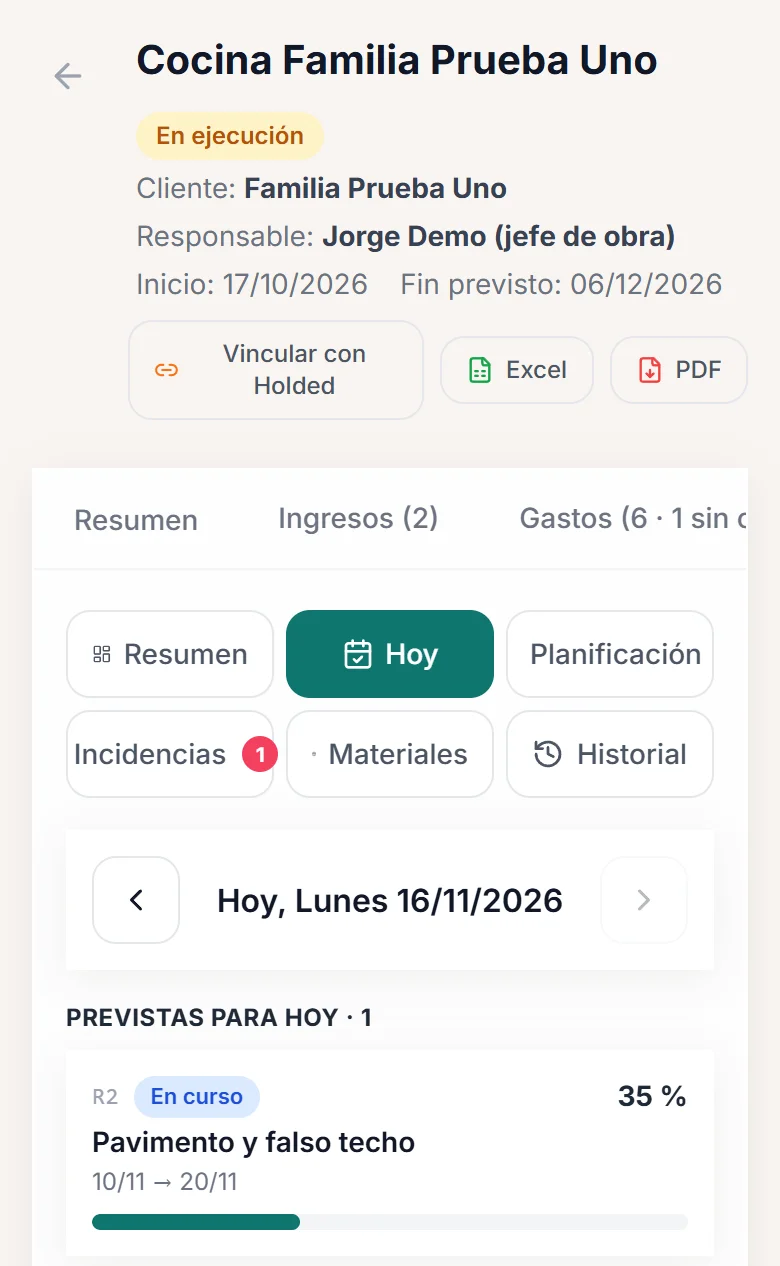
The site manager logs the day from a phone.
Every project has its approved plan. On site, progress on each activity, the site report, issues and materials are recorded; in the office you can see whether it is on schedule, without calls or scattered messages.
- Actual progress against planned, in points.
- Issues with priority, owner and deadline.
- Day-by-day history and a weekly PDF report.
Bank and Holded
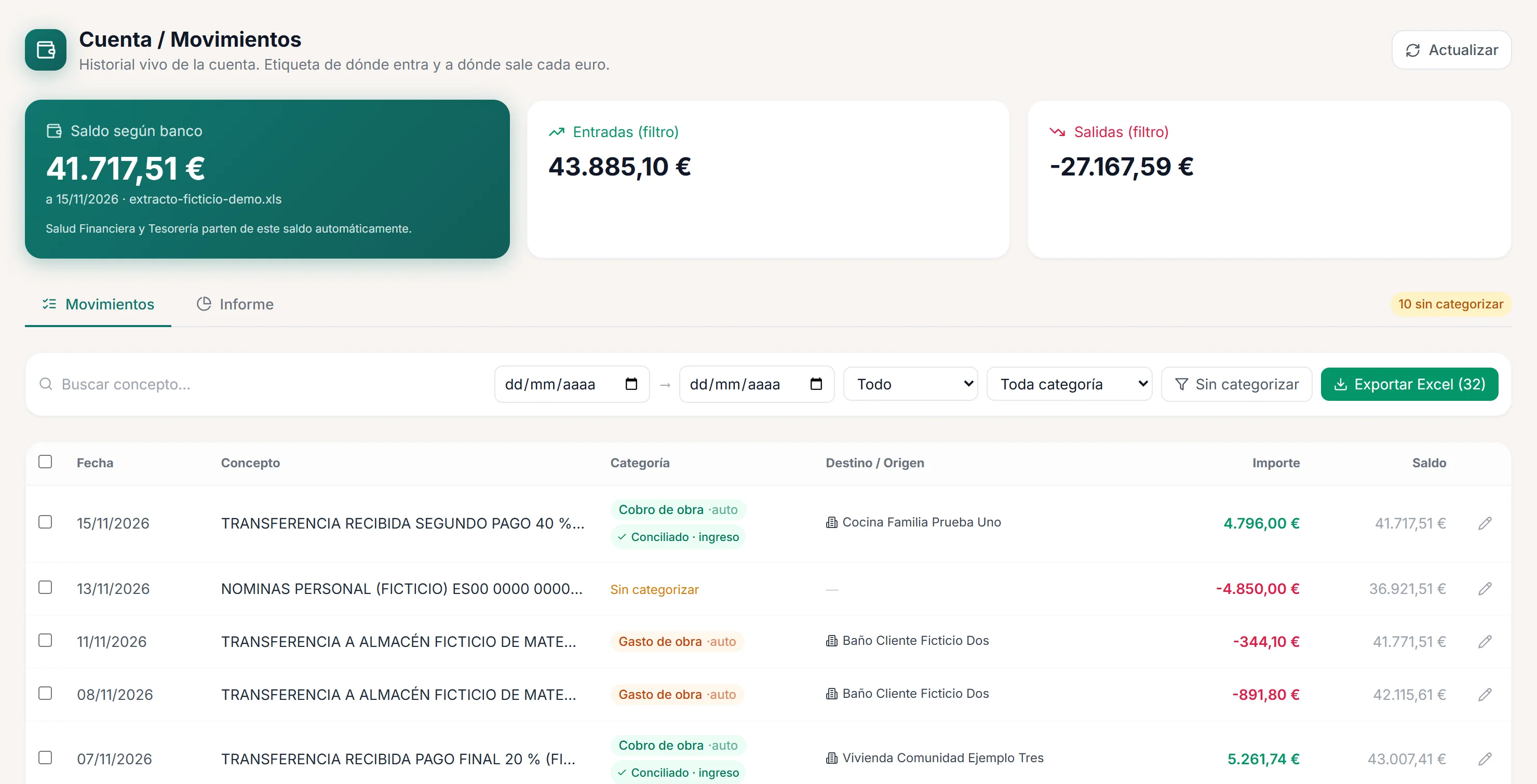
Every bank transaction, with its project.
Bank statements are imported into the panel and each transaction is reconciled with its project’s cost or payment, automatically or by hand. Purchase and sales invoices are synchronised from Holded, and their lines are assigned to the project from the panel, with the candidates the system suggests.
- Transactions categorised and reconciled with project costs and payments.
- Purchase and sales invoices synchronised from Holded, with their lines assigned to projects.
- Today it reads one specific statement format; other banks, formats or software are specific work.
Design and 3D renders
The renovation, seen before it starts.
We produce renders, sequences and videos of kitchens, bathrooms and renovations as a service in its own right: you can commission them without a website or software. They are pre-rendered images made for each project, not real-time 3D.
An example: Kavela
Renders, sequences and videos, even without a website or software.
For Kavela, a made-to-measure kitchen brand and a Bolmia client, we produced every image of its product: in-house renders of each kitchen in several finishes and lighting conditions, sequences that open doors and drawers or take a unit apart, and short videos of the interior fittings. Try the finishes here: same kitchen, same camera and same light.
What you can commission
- Renders of kitchens, bathrooms and renovations, with finishes you can compare in the same scene.
- Daytime and night-time lighting, and views designed for desktop and for mobile.
- Opening and exploded-view sequences that play when pressed.
- Animations and short videos for the website, proposals and social media.
- Each scene is prepared and rendered for its project: it is not a real-time 3D configurator, and the images don’t change on their own with a quote tool.

Sage greenMatt colour
Let’s talk
Tell us what you want to solve.
One feature, several modules, the website, the quote tool or some renders. Write to us with what you have in mind and we will prepare the proposal with you.
How we work
First we talk. Then, the proposal.
Every project starts by understanding how you work today. No sign-up forms and no plans to choose from.
Conversation
You tell us what you want to solve, how you do it today and which software you use. If it helps, we show you the screens with demo data.
Scope and proposal
What is reused, what is built new, what data needs moving and in which phases. With its tailored quote.
Development and roll-out
In phases, with your branding and your wording, and tested first on a real case of yours before it is extended.
Maintenance and evolution
Hosting, backups, updates and improvements, on the terms agreed in each proposal.
Each phase is quoted and approved separately. What is learnt in one adjusts the next.
Frequently asked questions
What people ask before starting.
Is it off-the-shelf software? Can it be paid monthly?
It isn’t off-the-shelf software: we start from modules that already run in a renovation company and adapt them to yours, or build what is missing. How you take it on is worked out with you: the system can be handed over to you, or run on a monthly basis, with a fee that covers hosting and maintenance. The terms are set out in each proposal; there are no automatic sign-ups and no fixed plans.
Can I ask for just one part?
Yes. You can start with a single feature —quotes, site control, the Holded connection—, with several modules or with the complete system. You can also commission just the website, the quote tool or the renders.
Do I have to stop using the software I already have?
Not necessarily. The Holded connection already exists: it synchronises purchase and sales invoices so they can be assigned to projects. With other invoicing software, ERPs or banks, we look at what they allow to be connected and the integration is built as specific work, without forcing you to change what already works for you.
How much does it cost?
It depends on the scope: a single feature is not the same as a complete system, and starting from scratch is not the same as moving data from other software. That is why we don’t publish rates: after the conversation we prepare a tailored quote, with the phases and the maintenance set out separately.
Can it be used on a phone on site?
Yes. Site control is designed for the phone: the “Today” view is for logging progress, the site report and issues from the site itself.
Do you do renders even if we don’t want a website or software?
Yes. Design and 3D renders are a service you can commission on its own: renders of kitchens, bathrooms or renovations, opening or exploded-view sequences, animations and videos. They are images prepared for each project, not a real-time 3D configurator.
You can see examples in the Kavela case.
Do you use artificial intelligence?
When there is a clear case, we develop it to measure: for example, reading supplier invoices and suggesting which project they belong to, or helping draft line items from the notes of a site visit. We don’t sell it as a ready-made feature: it is studied and quoted as new development.
How do I get in touch?
Through the form on this page or by phone. We deal with every request personally and, with what you tell us, we prepare the proposal.
The phone number and the other ways to reach us are on Let’s talk.
If you have read this far, the next step is to tell us about it.
Tell us what you want to solve