
Case · Obrescat
From the first call to closing the project.
Obrescat is a renovation company in Barcelona. As well as its website, Bolmia has developed the management system it works with: enquiries and visits, versioned quotes with PDF, projects with their cost control, day-to-day tracking of each project, the bank and Holded.
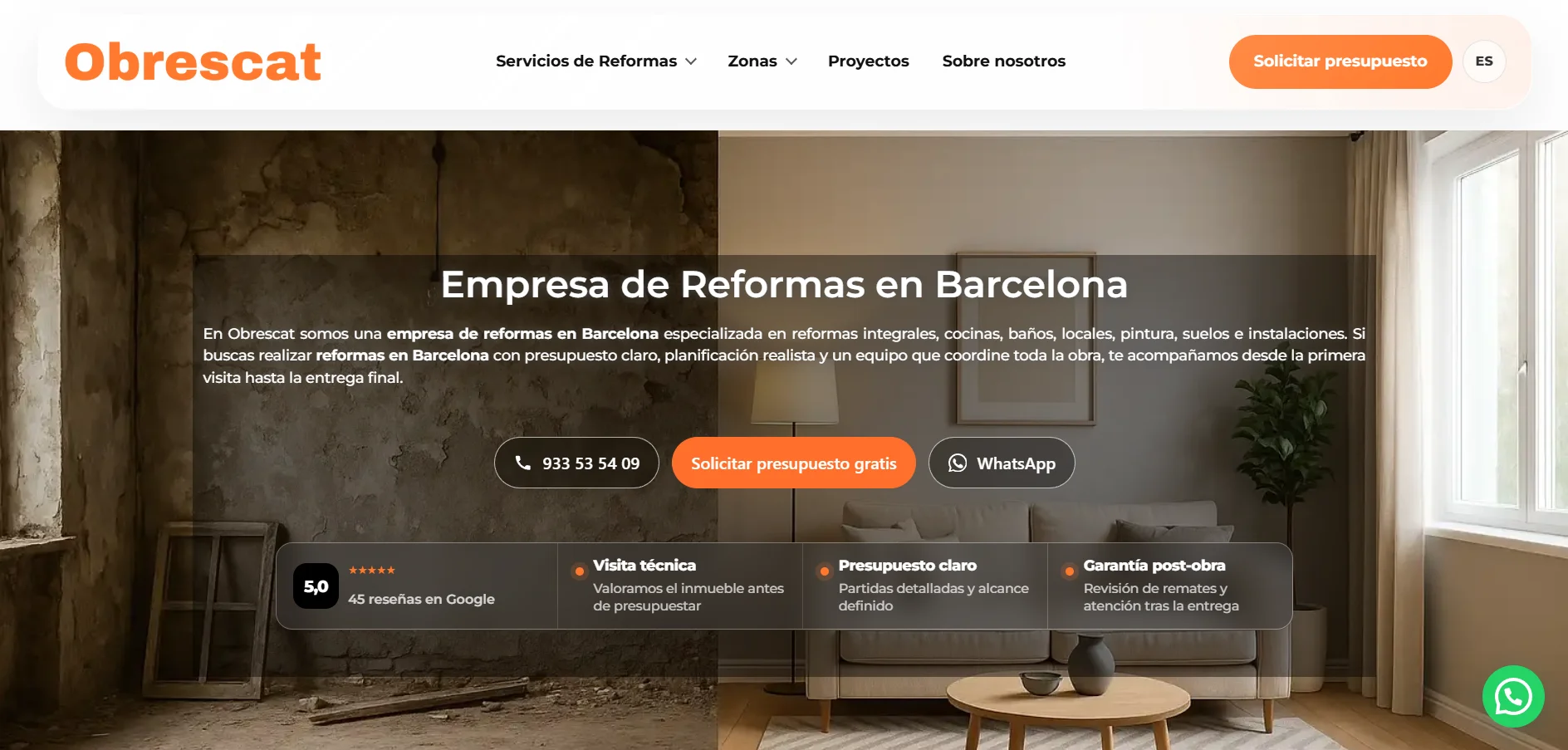
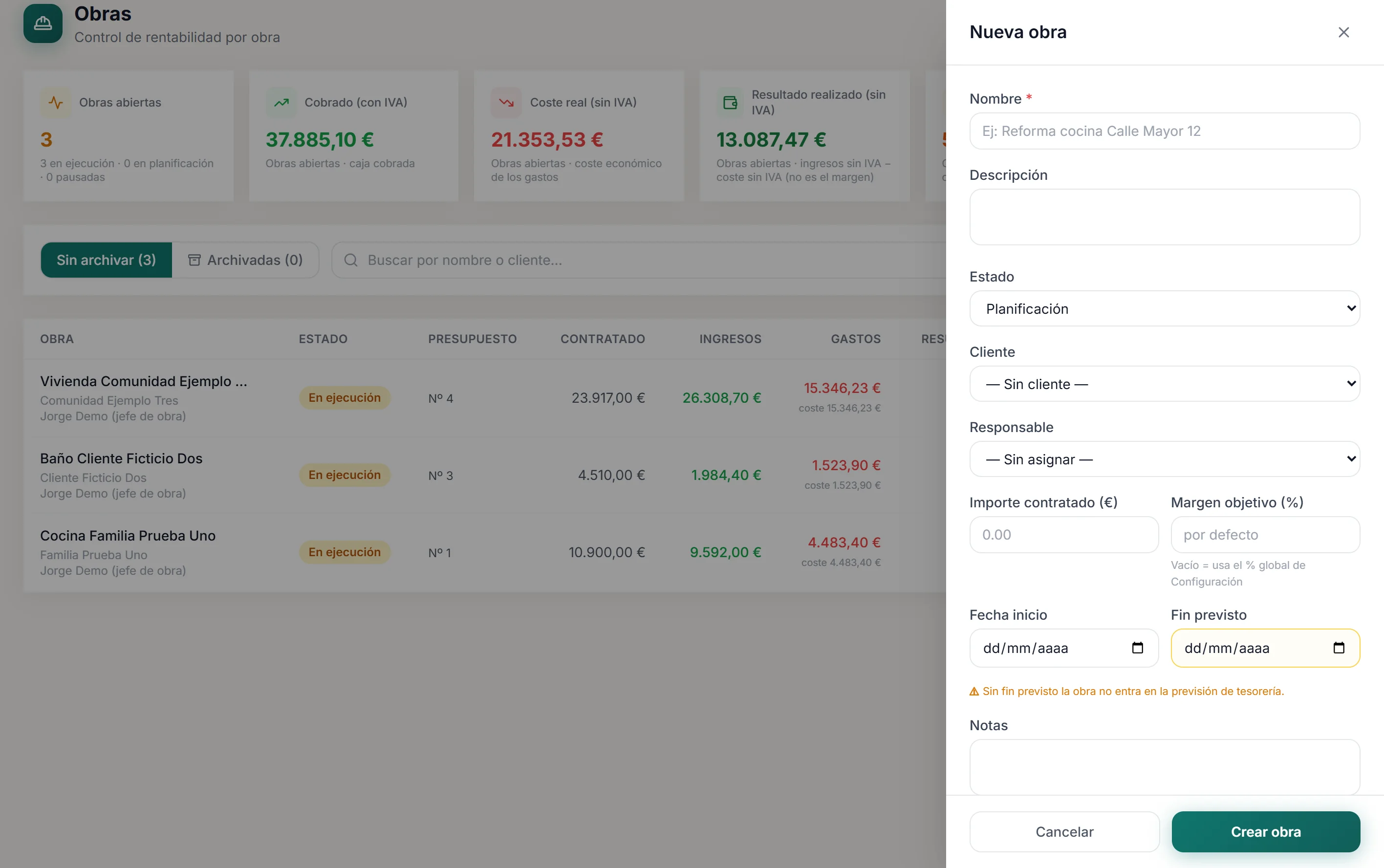
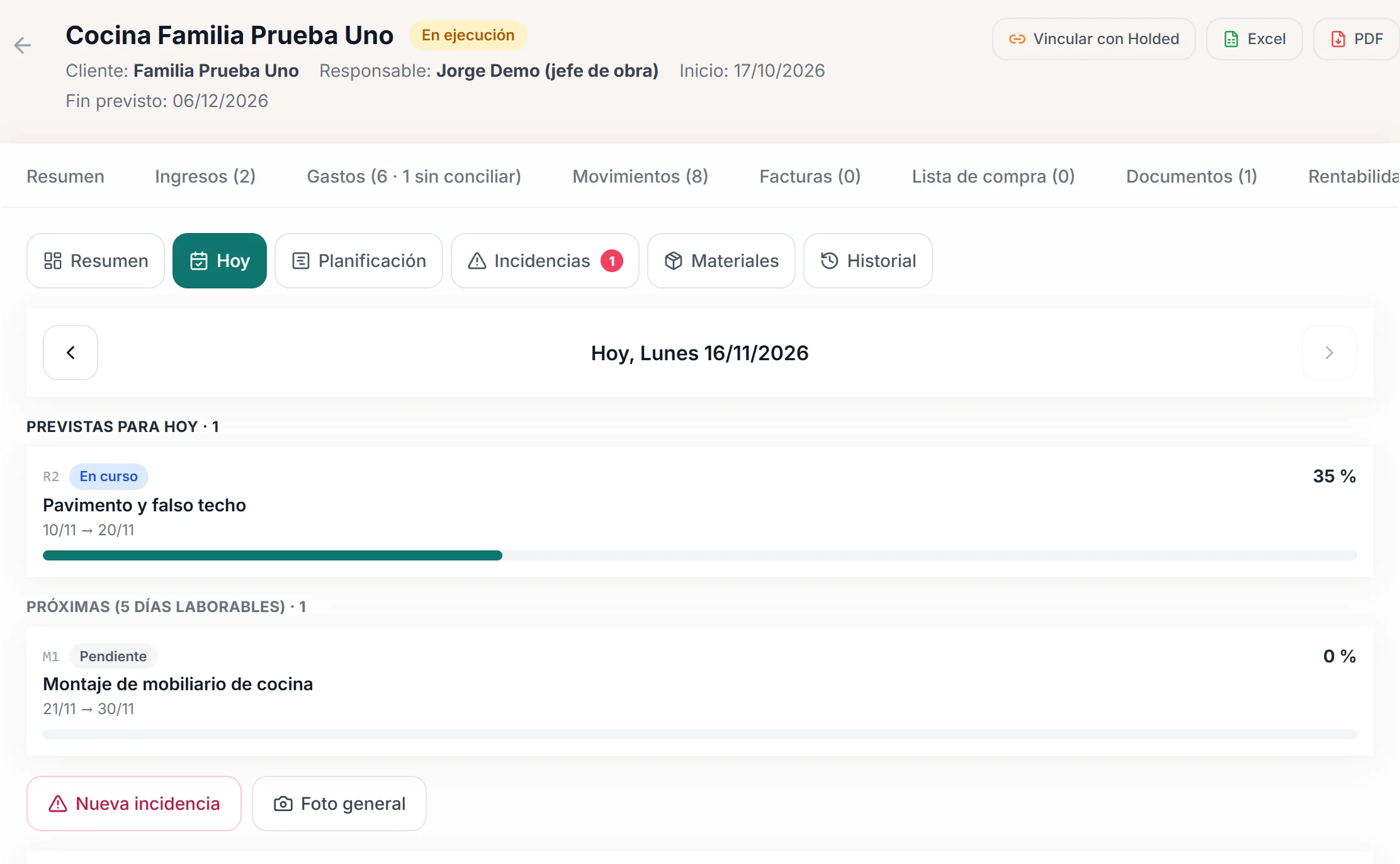
The website is public. The panel screens are in Spanish and show demo data.
The case
A system that grew with the company.
It was not designed in one go. Each part was built once the previous one was already in use, on the real way a renovation company works.
The need
Enquiries came in through the website, the phone and WhatsApp; quotes lived in separate documents and costs in the inbox. The real cost of a project was known once it was finished, and finding out how it was going meant a phone call.
What was built
A panel of its own, in layers: first lead capture and visits, then quotes, then projects with their cost control and daily site control, and finally the bank and Holded.
What you can see
The Obrescat website is public. The panel is not: the team uses it with real customers, so here it is shown with demo data.
The processes
Three journeys, one system.
What happens in a renovation company from the moment someone asks for a quote until the project is closed, and where the panel picks it up.
Sales
from enquiry to accepted quote- The enquiry comes in from the website form with its source, or is entered by hand if it arrives by phone or WhatsApp.
- It is qualified in the inbox: status, priority, next action and a warning if it already existed.
- The visit is confirmed by email, appears in the calendar and the customer gets a reminder the day before.
- The quote is built by chapters and line items, with versions, and sent as a PDF by email.
- It is marked as accepted or rejected.
Project
from accepted quote to close- The project is created from the accepted quote, with its customer, its amount and its dates.
- The planned cost by chapter is set, which gives the planned margin.
- Activities are planned and linked to the line items, with dependencies and milestones.
- Every day, progress, the site report, issues and materials are logged.
- Extras are recorded as additional work with their own quote.
- At close, the actual margin comes from what has been recorded along the way.
Administration
the money of each project- Project costs with the net amount and VAT separated, assigned to their chapter.
- Purchase and sales invoices synchronised from Holded; their lines are assigned to the project from the panel, with suggested candidates.
- Bank statements imported and reconciled, automatically or manually, with costs and payments.
- Each payment received, recorded with its invoice in a single step.
The same, designed for your company: custom software and ERP for renovation companies. In parts or all together.
Sales
No enquiry gets stuck in a phone.
The first module that was built and the most used: capturing, visiting and quoting in the same place.
CRM and visits
Every contact, with its source and its next step.
The website form records where each enquiry comes from, notifies the office and replies to the customer. From the inbox it is qualified, turned into a customer and an opportunity, and the visit is scheduled.
- An inbox with statuses, priority and duplicate warnings.
- Opportunities on a board and a customer record with its history.
- Visits with email confirmation, a reminder and a calendar on the phone.
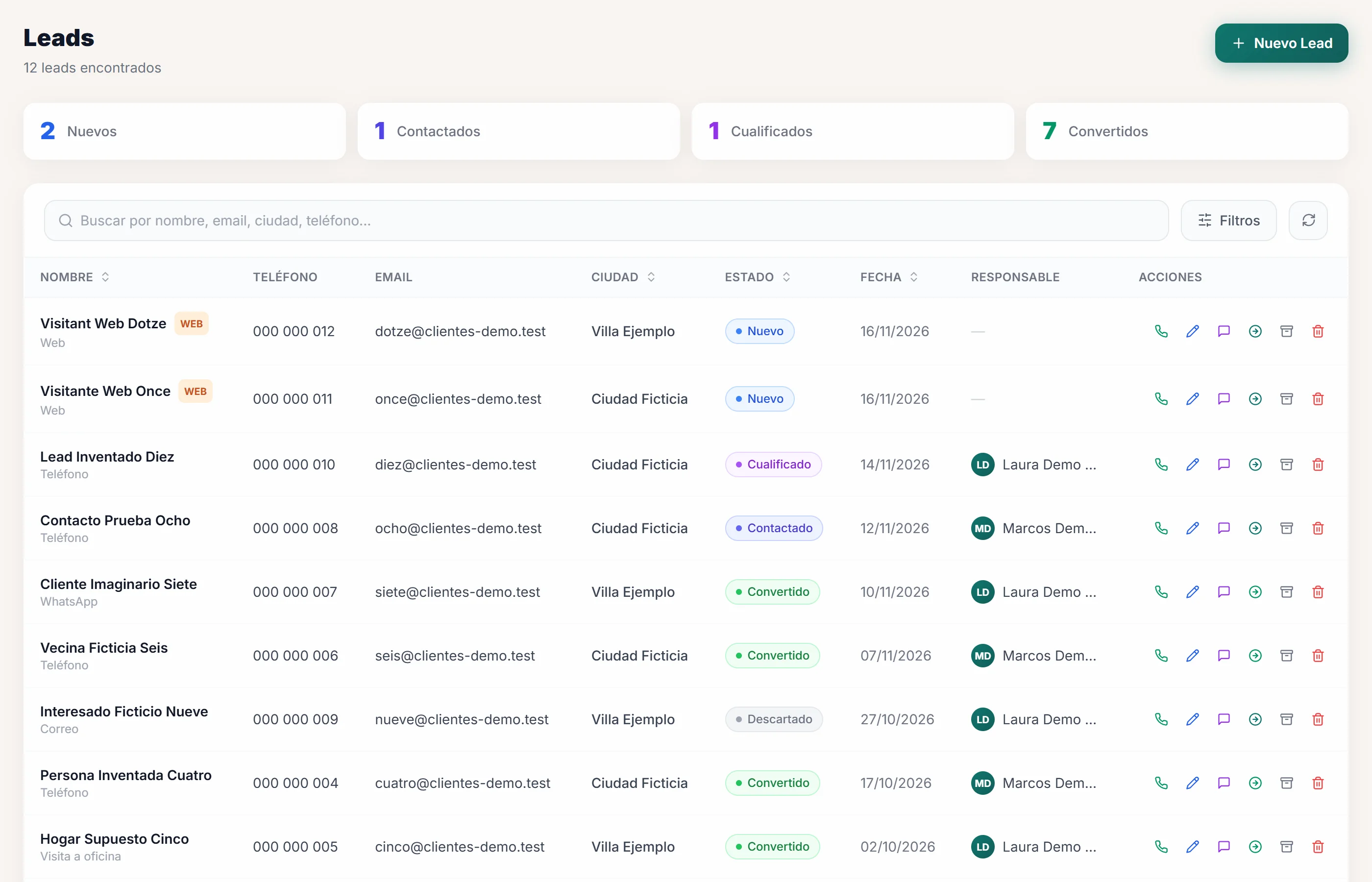
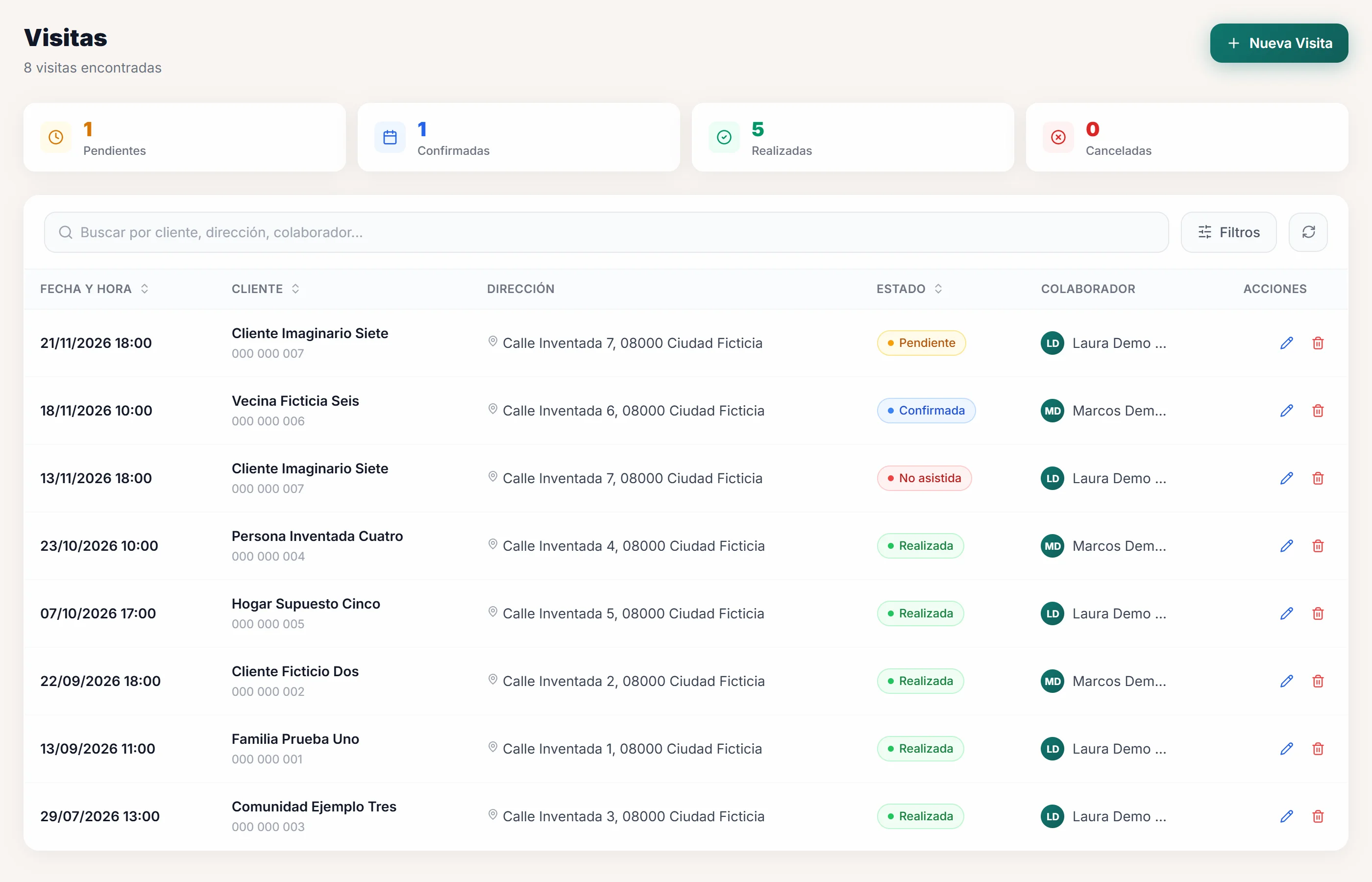
Demo screens in Spanish, with fictitious data.
Quotes and PDF
Versions that don’t get mixed up.
The quote is born from the opportunity. Every change creates a new version and the previous one is kept; the PDF carries the company’s branding and is sent from the panel itself.
- Chapters and line items with quantity, unit, price and notes.
- Discount, VAT shown or hidden, and the agreed amount.
- Terms, a branded PDF, sending by email and statuses through to accepted or rejected.
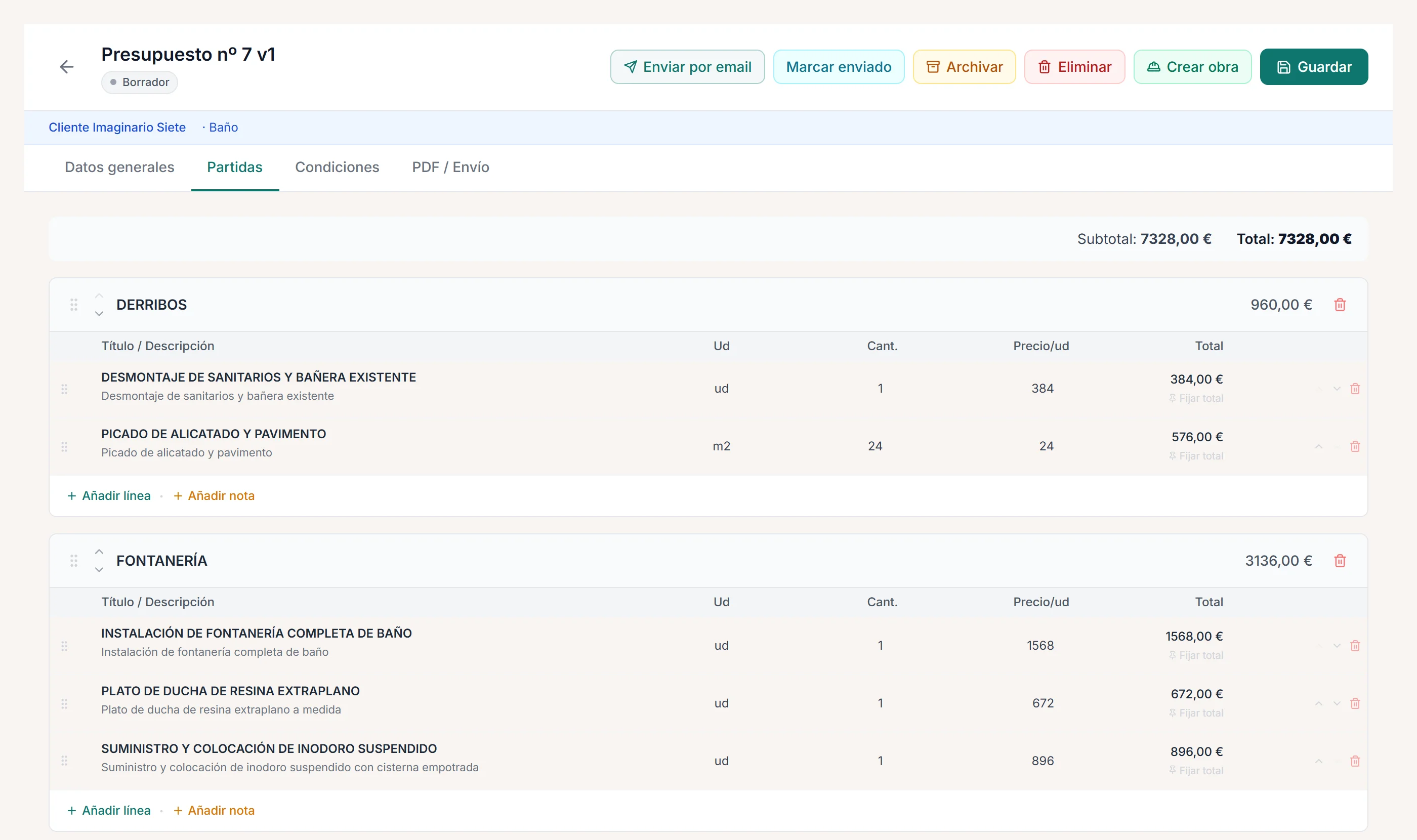
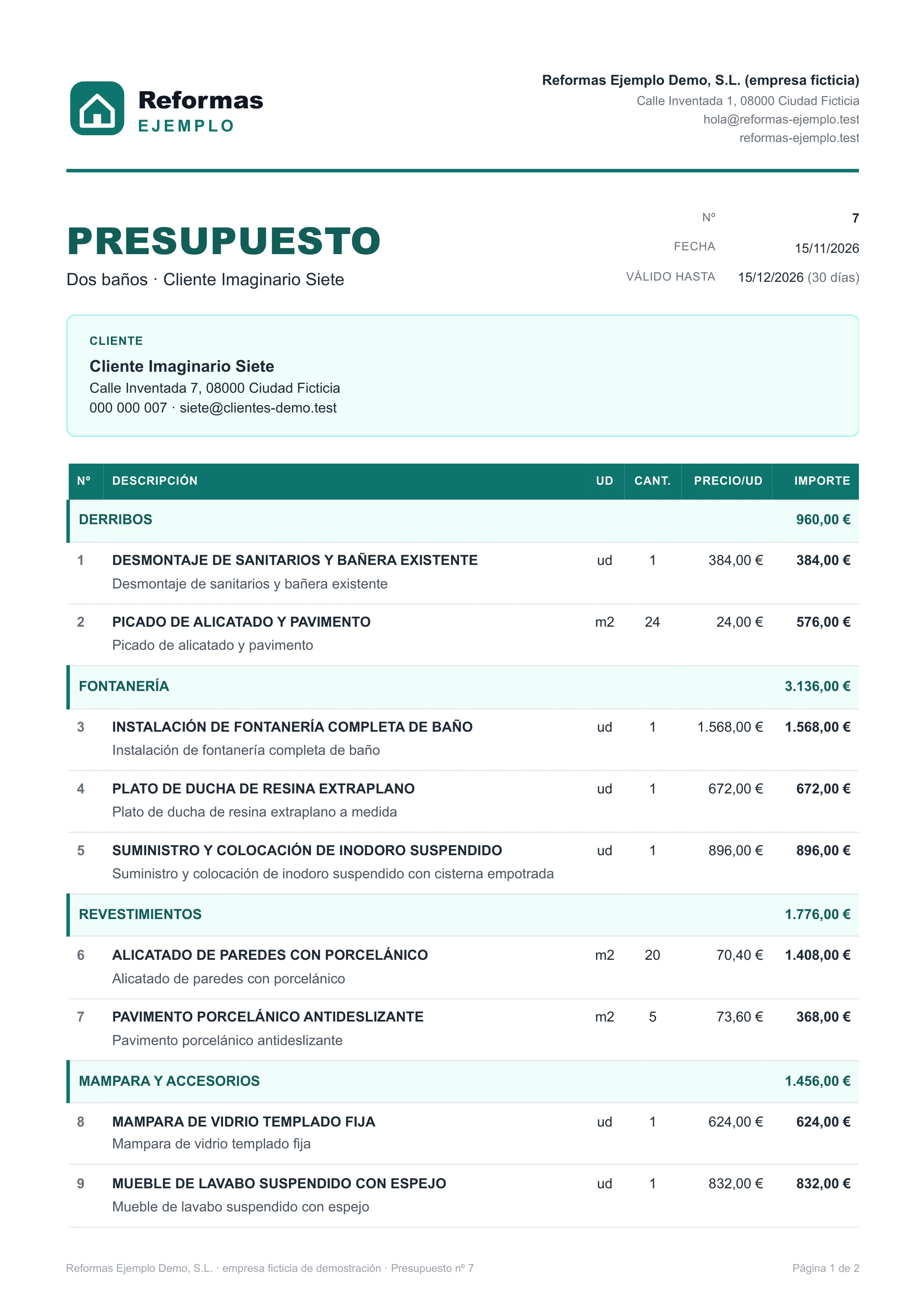
Demo screens in Spanish, with fictitious data: “Reformas Ejemplo” is an invented company.
Project
How the project is going, without calling anyone.
The approved plan, each day’s progress and the project’s money, on the same record.
Site control
Planned against actual.
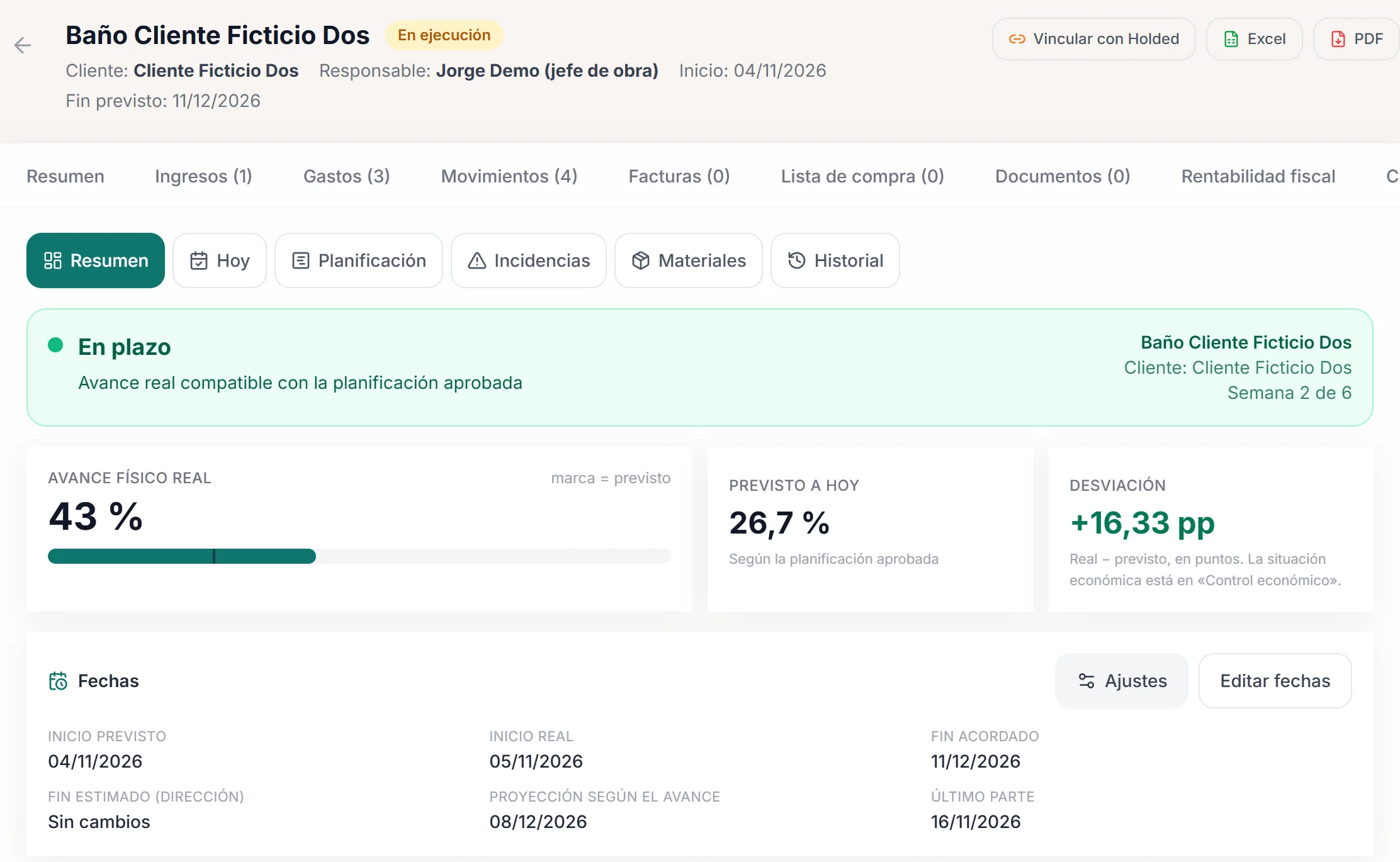
The chapters of the quote become the project plan. With each site report, the system compares actual progress with planned progress and projects the end date at the current pace.
- Actual physical progress, planned progress to date and the deviation in points.
- Planned, actual and projected dates.
- Alerts when site reports are missing for working days.
On site
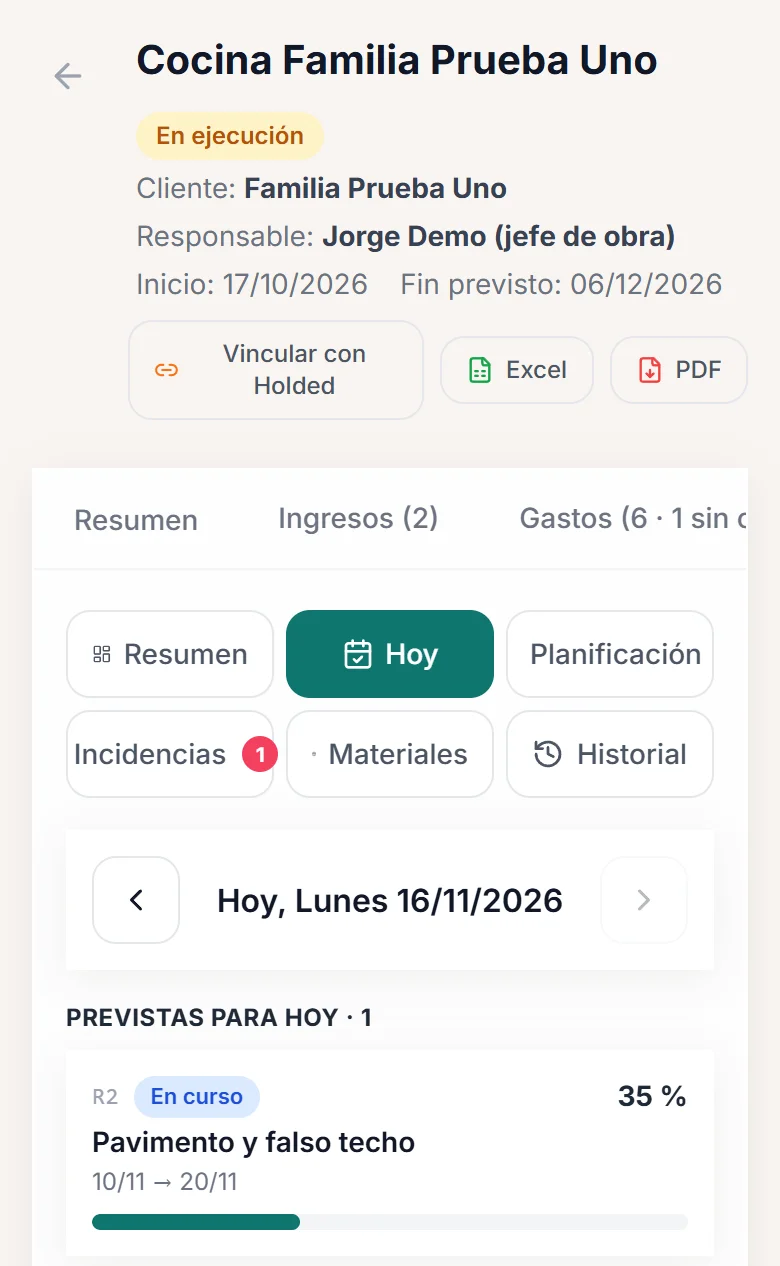
The day is logged from a phone.
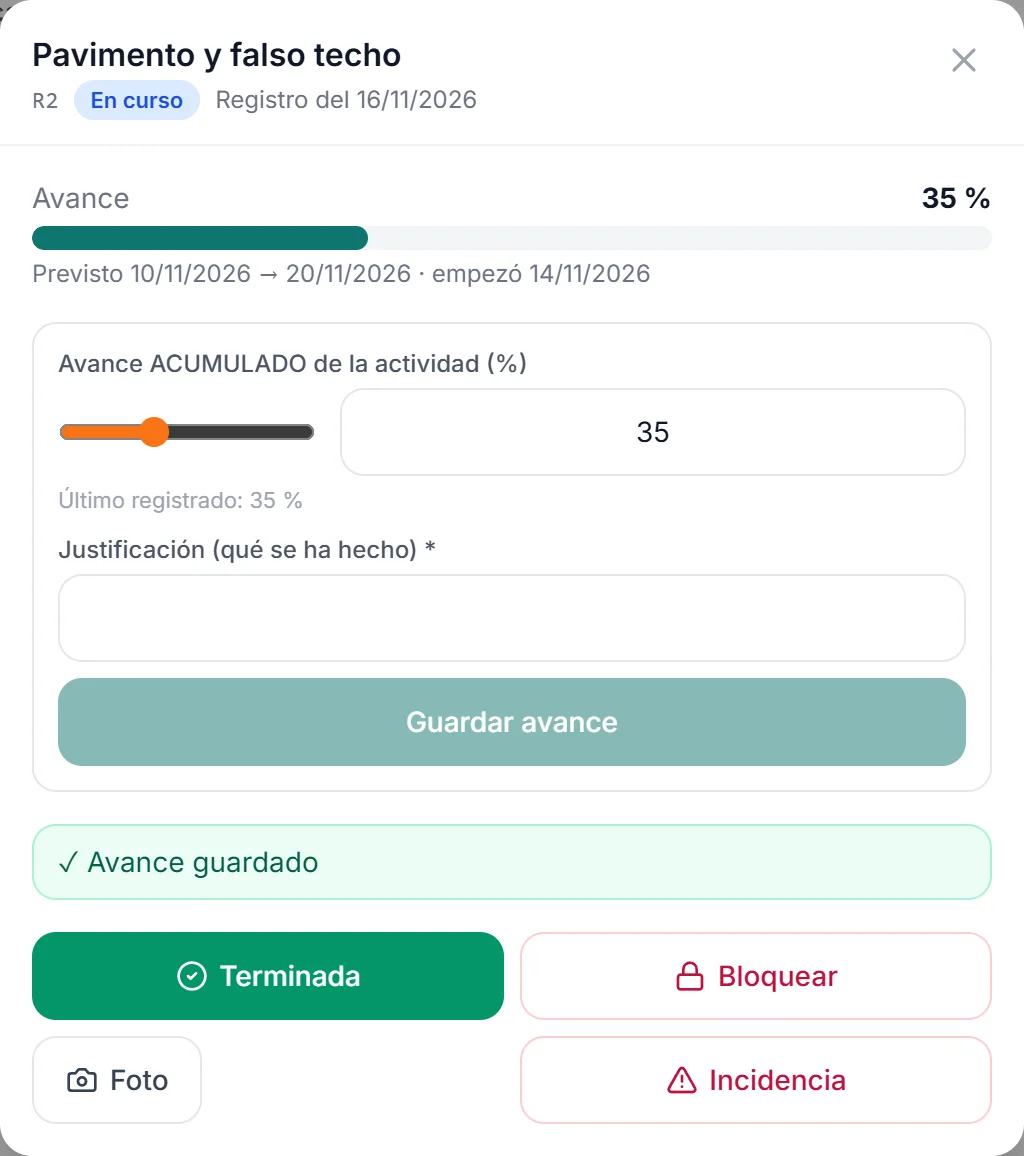
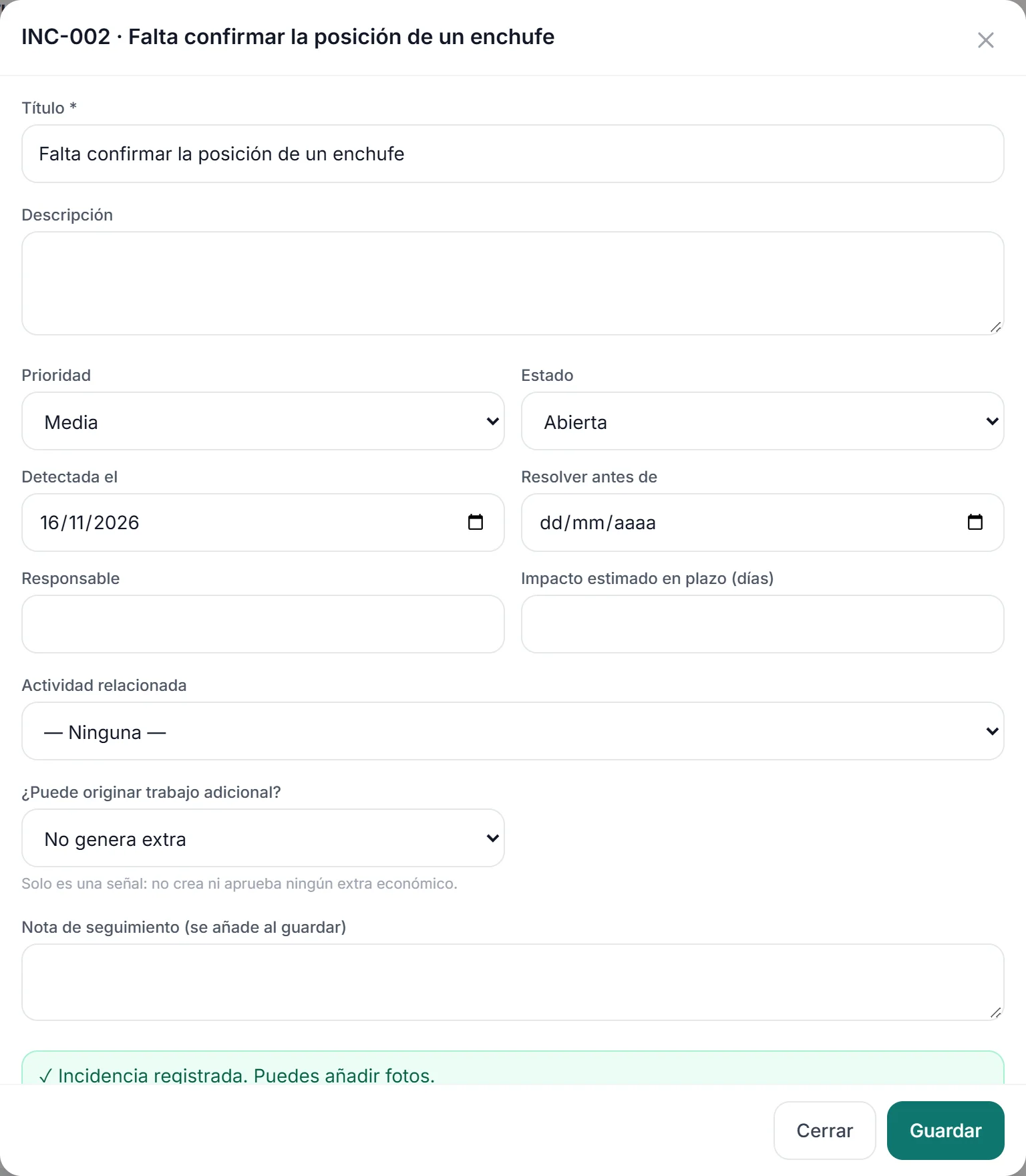
The “Today” view shows what is under way, what is planned and what is behind. From there you log progress on each activity with its justification, open an issue or check the history, which produces the weekly PDF report.
- Progress by activity, with a required justification.
- Issues with priority, owner, deadline and possible additional work.
- Day-by-day history and a weekly PDF report.
Cost control
Each project’s margin, while it is under way.
Each project carries its cost budget by chapter, the costs charged to it and the extras that are accepted. The deviation is visible during the project, not when it closes.
- Planned and actual cost by chapter, and the forecast final cost with its deviation.
- Extras with their own quote and their versions.
- The actual margin when the project closes.
Administration
The bank and Holded, matched to each project.
What used to be cross-checked by hand in a spreadsheet.
Bank and Holded
Every transaction, with its project.
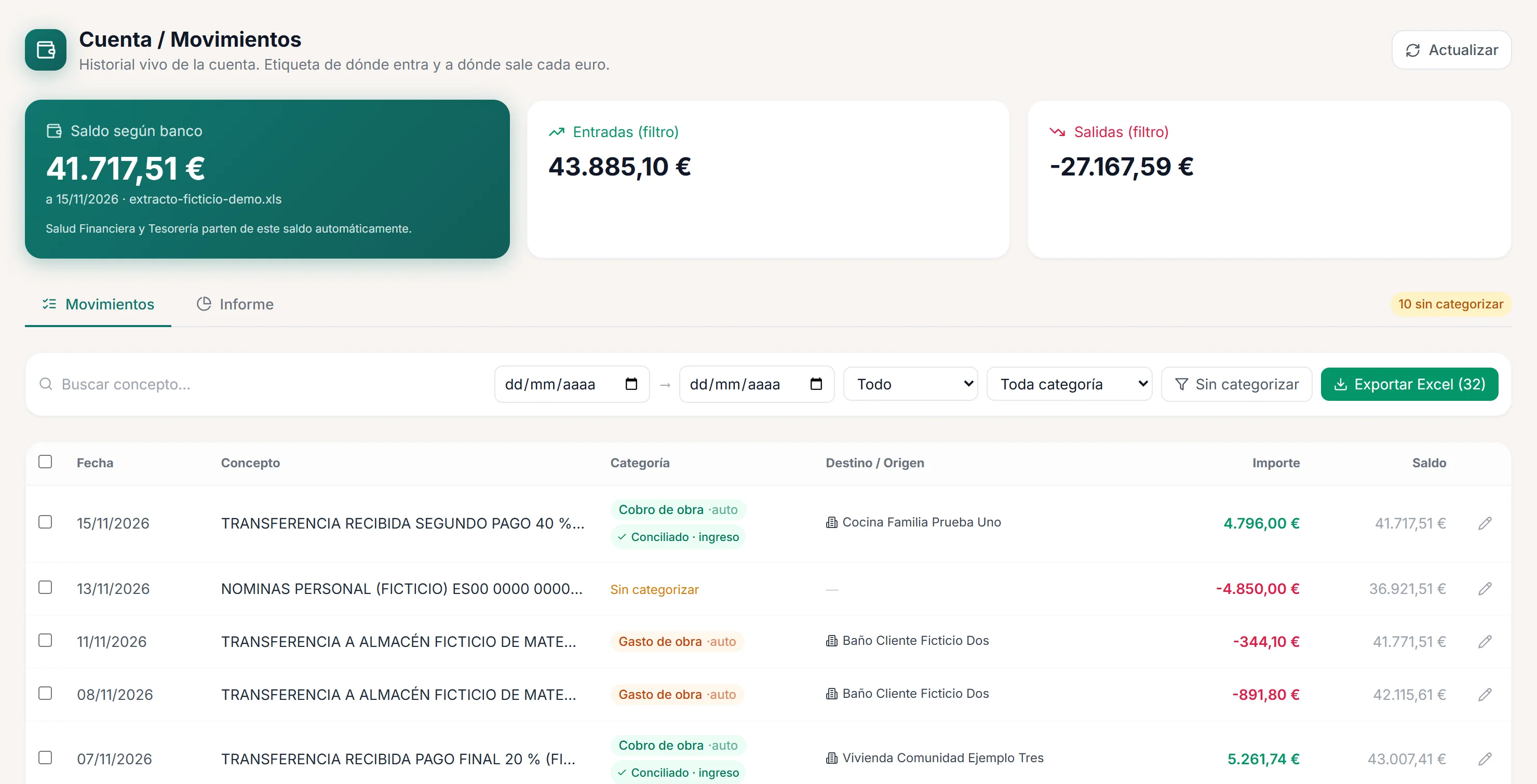
Bank statements are imported without duplicates and each transaction is reconciled with its project’s cost or payment, automatically or manually. Purchase and sales invoices are synchronised from Holded periodically, and their lines are assigned to the project from the panel, with the candidate projects the system suggests.
- Transactions categorised and reconciled with project costs and payments.
- A project payment recorded with its invoice in a single step.
- Today it reads one specific bank statement format; other banks, formats or software are specific work.
For another company
What you can take to your business.
The system was built for one specific company. What works there can be adapted to another company in the sector, in parts or in full.
- The CRM and the visits calendar, with your branding, your wording and your statuses.
- The quote builder and its PDF, with your design and your terms.
- Planning and site control, with your calendar and your way of measuring progress.
- Cost control and the Holded connection, if that is what you use.
Not built yet: quoted as new development
- Online signing of quotes and contracts
- A portal for the end customer
- A price database and measurements
- AI features
- Other banks and software
Taking it to another company means adapting it: branding, wording, users and permissions, and whatever data needs moving. It is set out in the proposal, as is whether it is installed, handed over or maintained for a monthly fee.
Let’s talk
Want something like this for your company?
Tell us how you work today and what you want to solve first. We will prepare a proposal: one feature, several modules or the complete system.